
Last updated:
Residential
Ease of Paying Taxes
What is the EOPT Act?
Republic Act (RA) No. 11976, otherwise known as the “Ease of Paying Taxes (EOPT) Act” introduced amendments to the National Internal Revenue Code (the “Tax Code”). These intend to protect taxpayer rights and welfare, improve tax administration, update the tax system to adopt best practices, and enact policies appropriate to different taxpayers.
The amendments include the following, among others:
- Classification of taxpayers into micro, small, medium and large taxpayers
- Adoption of file and pay anywhere policy in filing returns and paying taxes
- Removal of the requirement to withhold for expenses to be deductible
- Harmonization of the basis of VAT (i.e., now based on gross sales even for sellers of services)
- Adopting a singular principal document to substantiate input VAT (i.e., VAT invoice)
- Removal of the requirement to reflect “business style” on invoices
How will this affect your billing and payment experience?
Changes in the Meralco Bill
The EOPT Act mandates businesses, like Meralco, to include certain information and roll out changes on your Meralco bill that can be used for filing input tax.
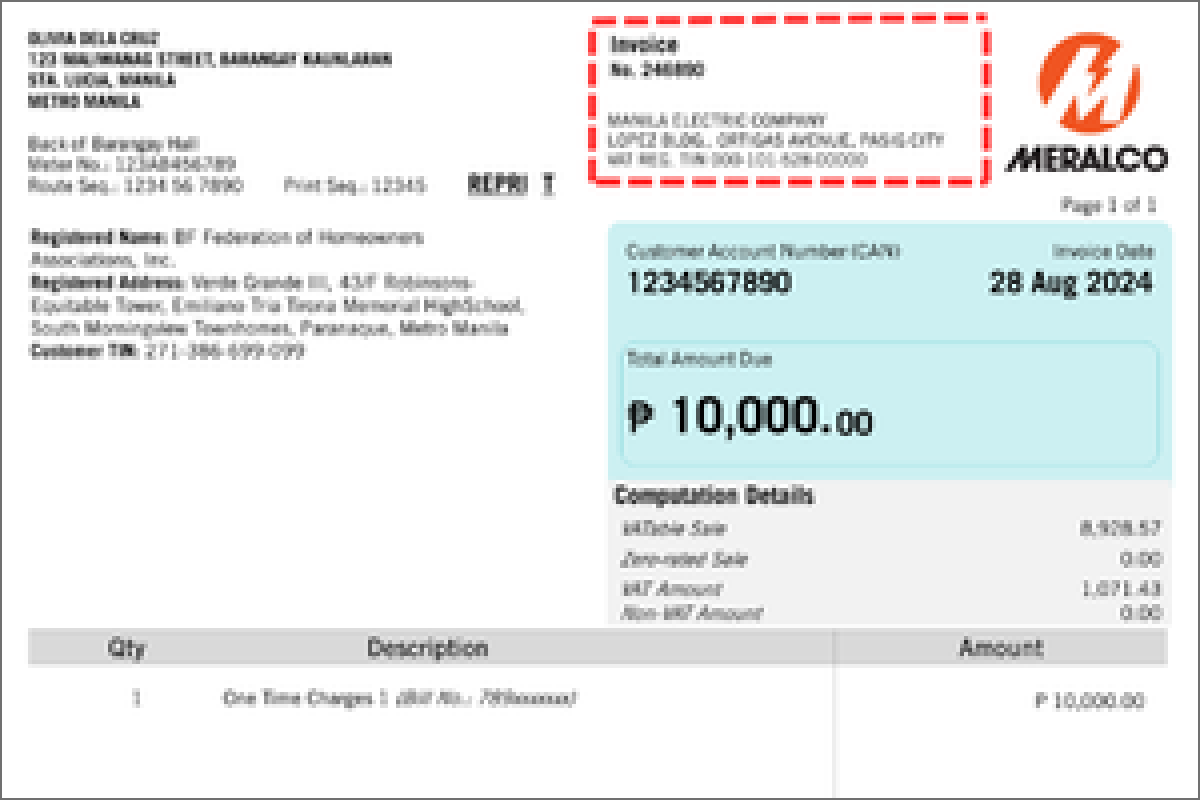
Your Meralco Billing Statement is now your official Billing Invoice which can be used for input tax claims.
Meralco's tax information can now be seen in the upper right corner of your Meralco Billing Invoice
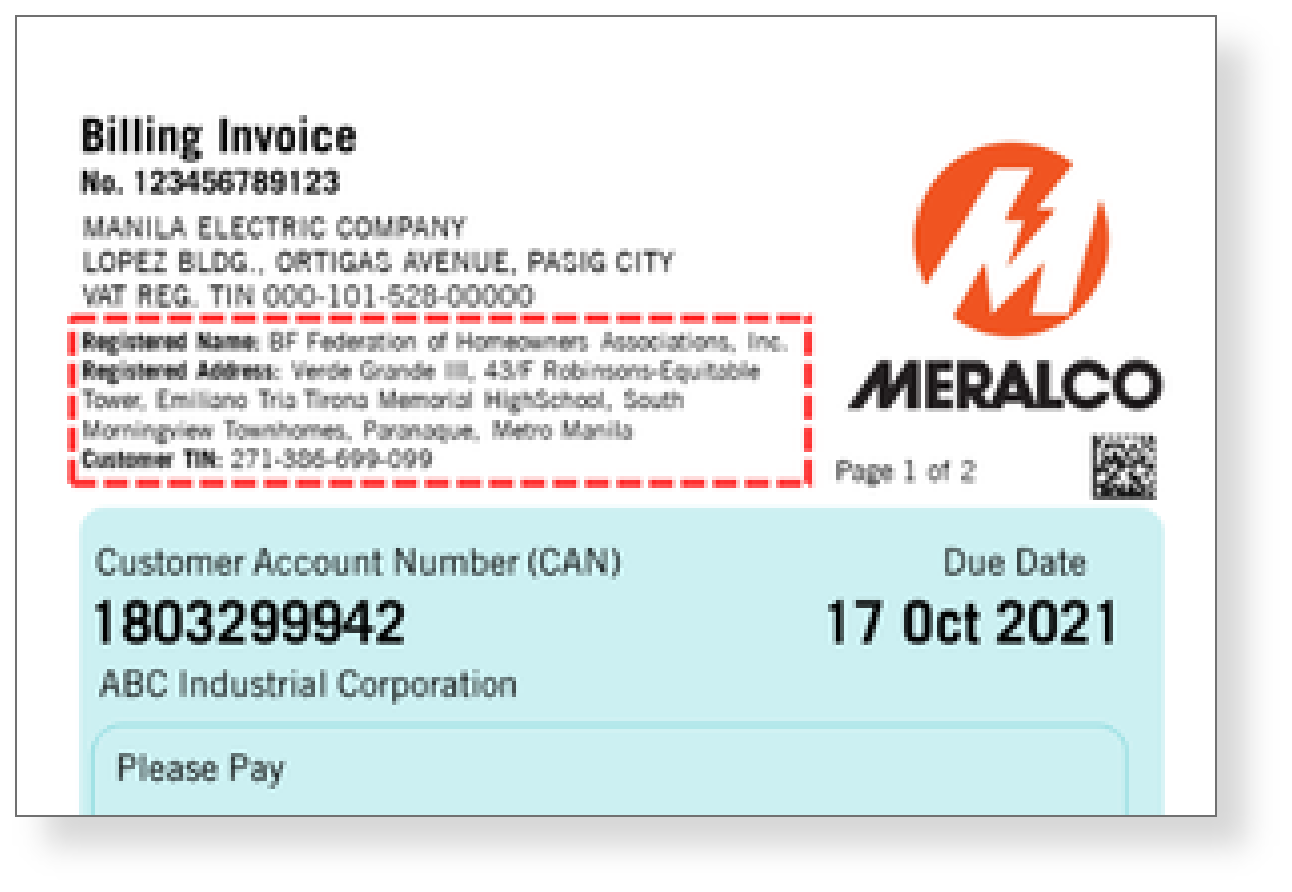
Your business’s tax information is now included in your Meralco Billing Invoice to help simplify input tax filing.
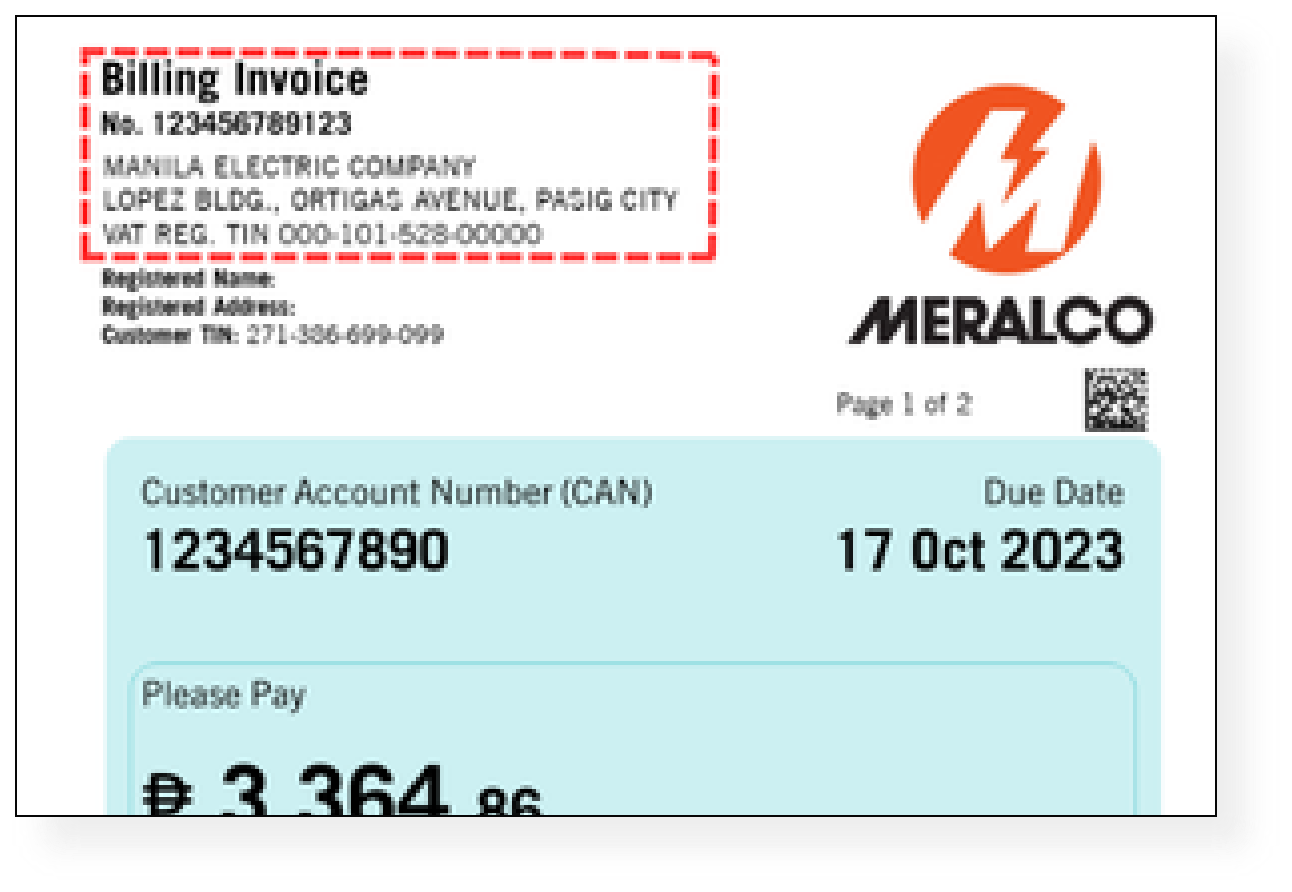
Your Meralco Billing Statement is now your official Billing Invoice which can be used for input tax claims.
Meralco's tax information can now be seen in the upper right corner of your Meralco Billing Invoice
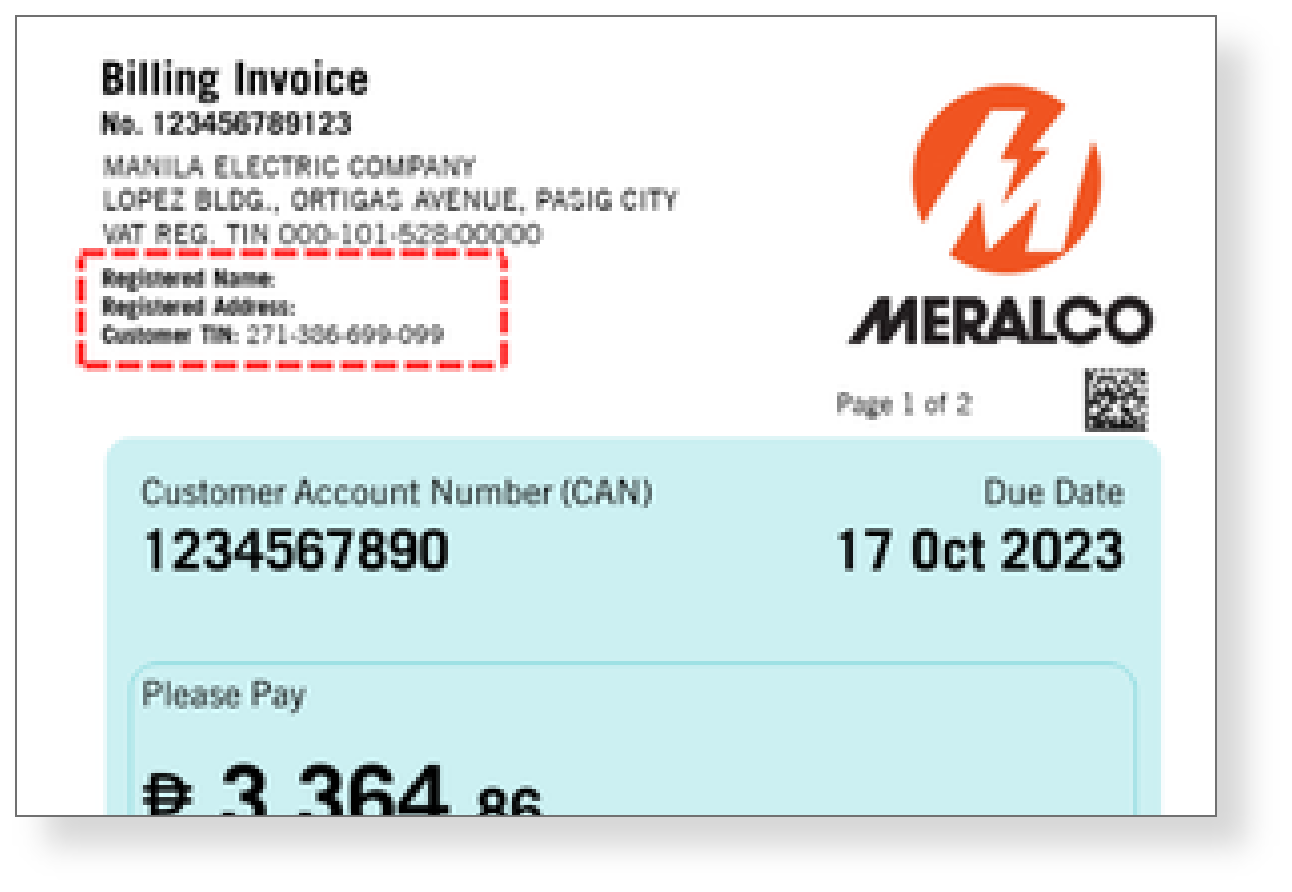
Your tax information may now be included in your Meralco Billing Invoice upon request
For customers who have provided Meralco with their tax information, this will be reflected on the billing invoice.
Issuance of Credit Memo
This document is issued for billing adjustments like rebills or cancellations. For paid invoices, adjustments appear on your next bill; for unpaid ones, they're deducted from the current bill. Expect this document 2–3 days after the adjustment letter.
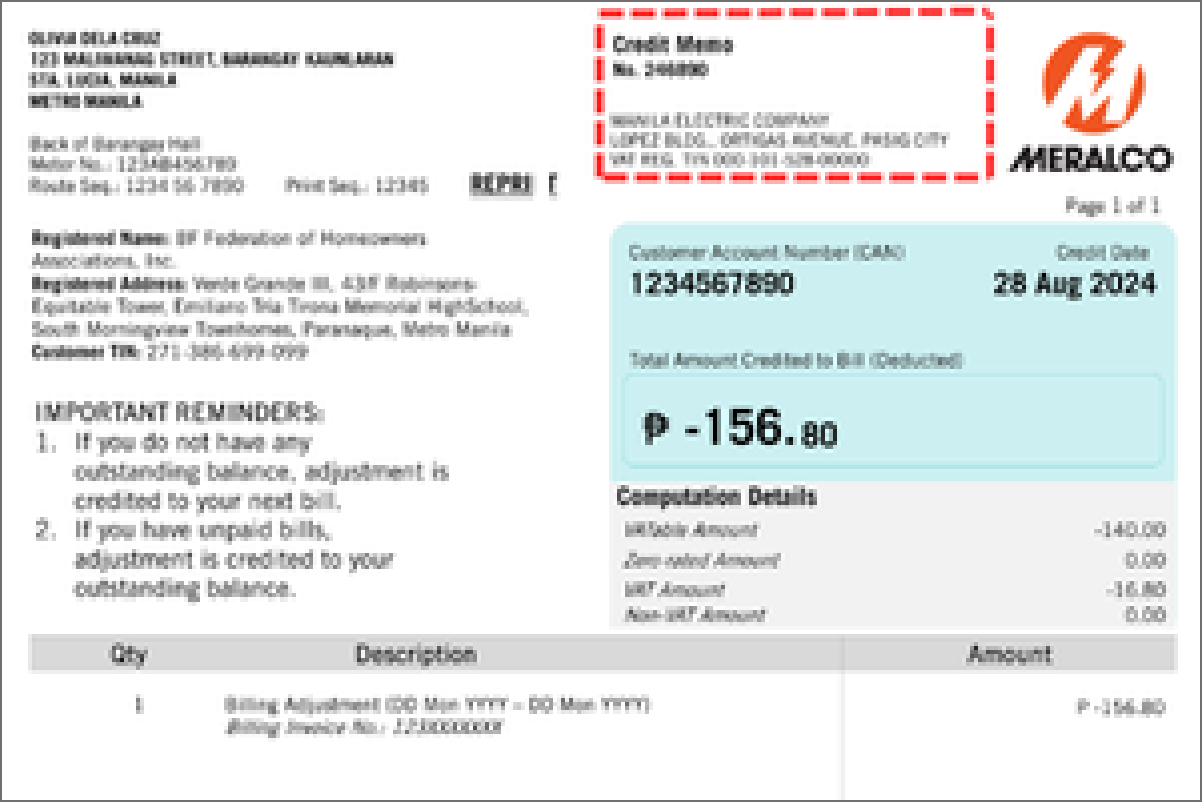
Issuance of Generic Invoice
This document is issued to customers to show extra charges that are not included in the regular monthly electric bill that have already been paid. These may include fees such as reconnection, DIS, DAS, or adjustments from past bills.
Issuance of Official Receipt
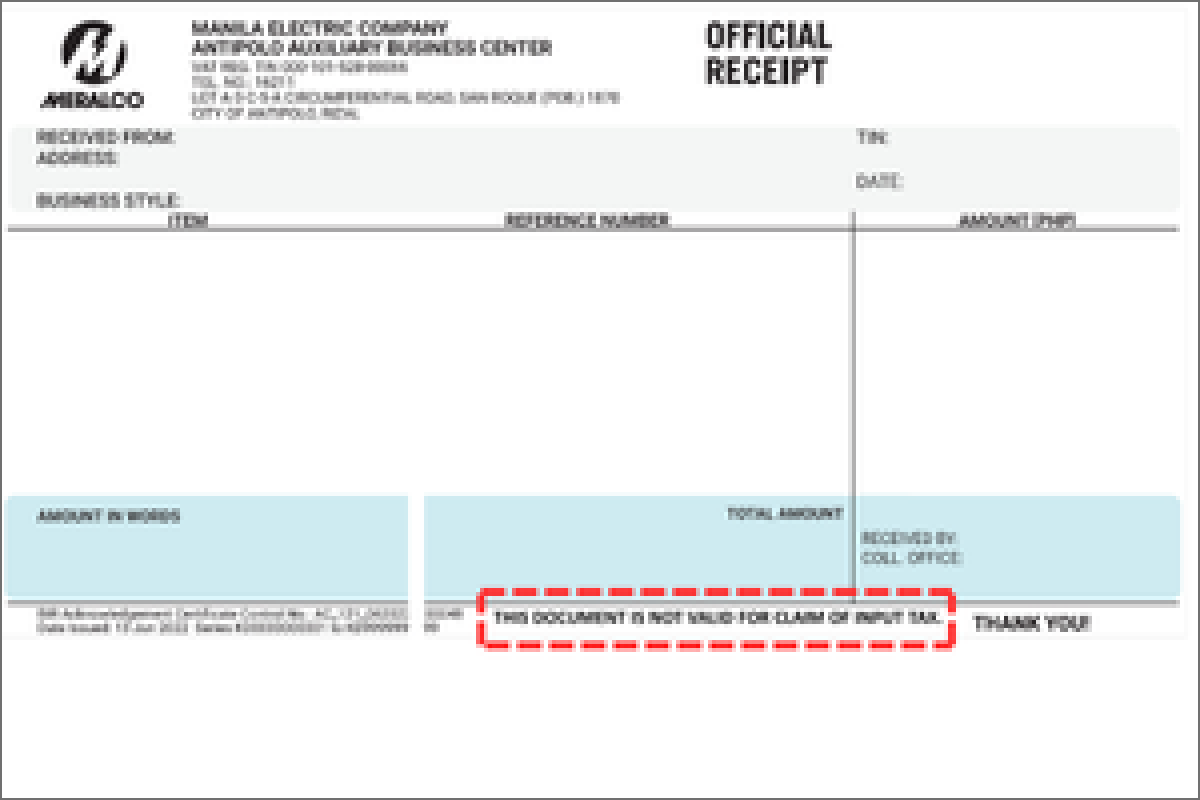
Since the billing invoice will now be used for input tax claims, a note will be printed at the bottom of the OR which says: THIS DOCUMENT IS NOT VALID FOR CLAIM OF INPUT TAX
Frequently Asked Questions
Who is affected by the Ease of Paying Taxes Act?
Why is my Meralco bill now a billing invoice?
Why is there new information on my Meralco bill?
In compliance with the EOPT Act, the following information should now be reflected on the billing invoice for easier tax filing:
- Billing Invoice number, which replaced the Billing Statement number
- Meralco’s BIR-registered company name, address and Tax Identification Number
- Account owner/Customer’s BIR-registered company name, address and Tax Identification Number
I received a credit memo. What is this for?
For invoices already paid, adjustments will appear on the next bill; for unpaid invoices, adjustments will be deducted from the current bill. You can expect this document 2–3 days after receiving the explanation letter about your billing adjustments.
I received an invoice. What is this for? Is this different from my regular Meralco bill?
Can I use the Official Receipt for input tax claims?
For residential customers, providing tax information is optional, as the EOPT Act does not require it on their invoices or credit memos.
Update your Tax Information
Before updating your tax information please prepare a scanned copy or photo of the following documents. You may update your tax information per Customer Account Number via this webform, a maximum of two times per year.
For account holders:
Any Meralco bill from the last 6 months
Any Philippine or foreign government-issued ID with picture and signature
BIR Certificate of Registration, BIR-issued TIN ID or a screenshot of your validated TIN from the BIR website.
For authorized representatives:
Authorization Letter, Board Resolution or Special Power of Attorney
Any Philippine or foreign government-issued ID with picture and signature
Update your Tax Information
Documents Needed
Before updating your TIN, please prepare a scanned copy or photo of the following documents: